Read it. Remember it. Make it yours.
A word you found.
A design you keep.
Bring a word from your reading into Word Studio. Start with your saved vocabulary, then preview it on a mug, shirt, or tote.
On iPhone or iPad with WoAi-Read 0.4.0 or later, this opens Library → Words. Only the word you choose and its language cues are shared with the designer.
See the whole journey
From reading to your own design.
Follow the screen recording, or move through the written steps below at your own pace.
Your word, from story to studio
Five small steps.
Notice a word while you read.
Open a story in WoAi-Read. Tap a Mandarin word in the focus panel to see its pronunciation, meaning, and context.
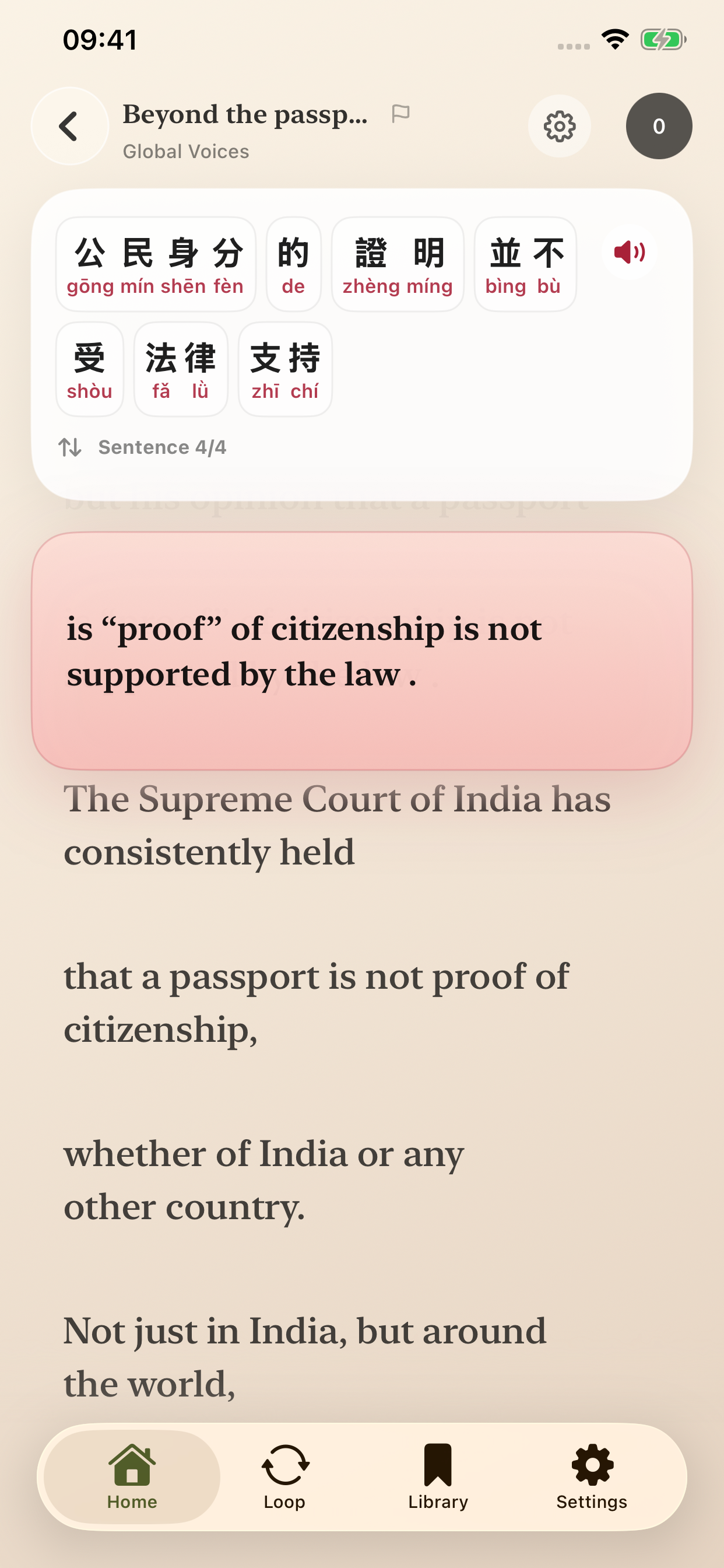
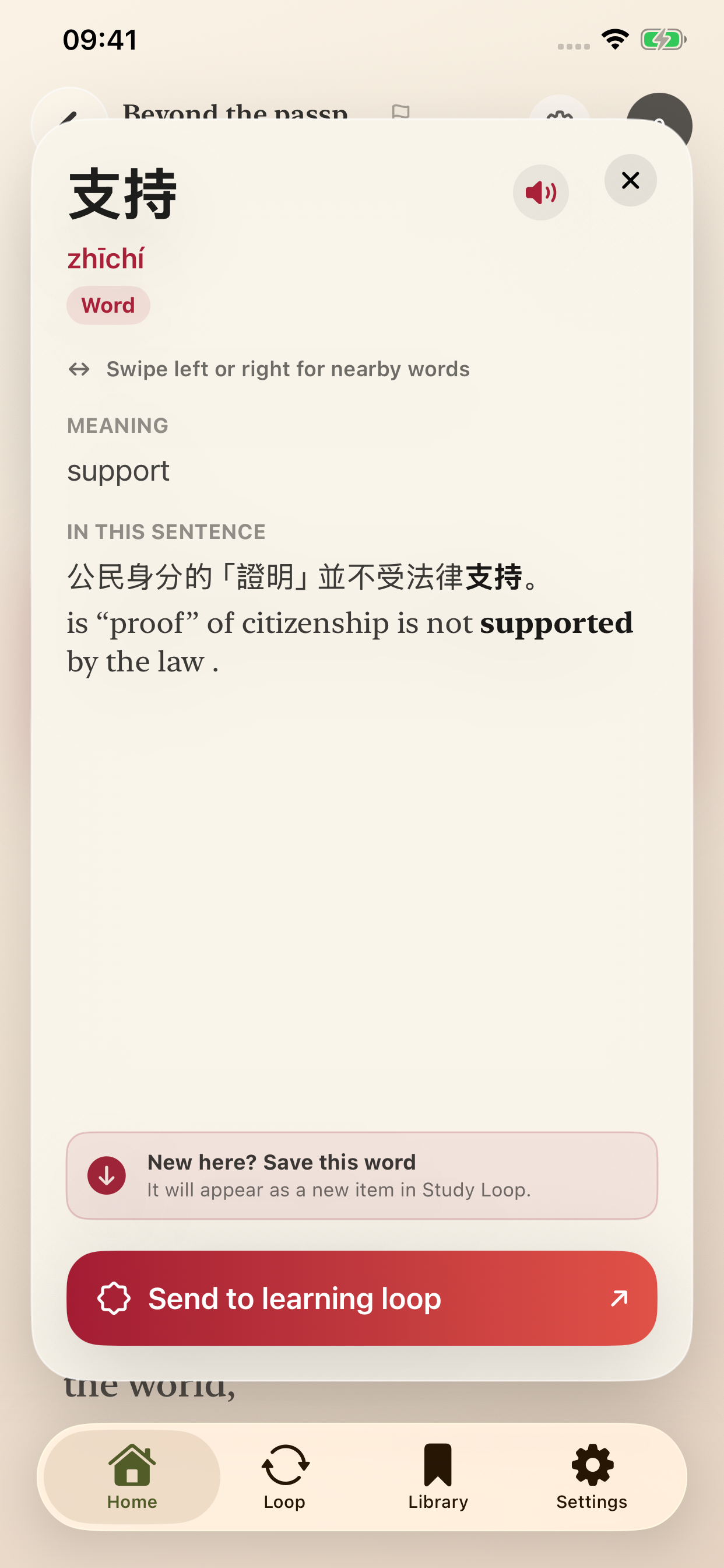
Step 1 · WoAi-Read on iPhone Simulator Save the word for later.
In the word inspector, tap Send to learning loop. The word becomes part of your saved vocabulary and Study Loop practice.
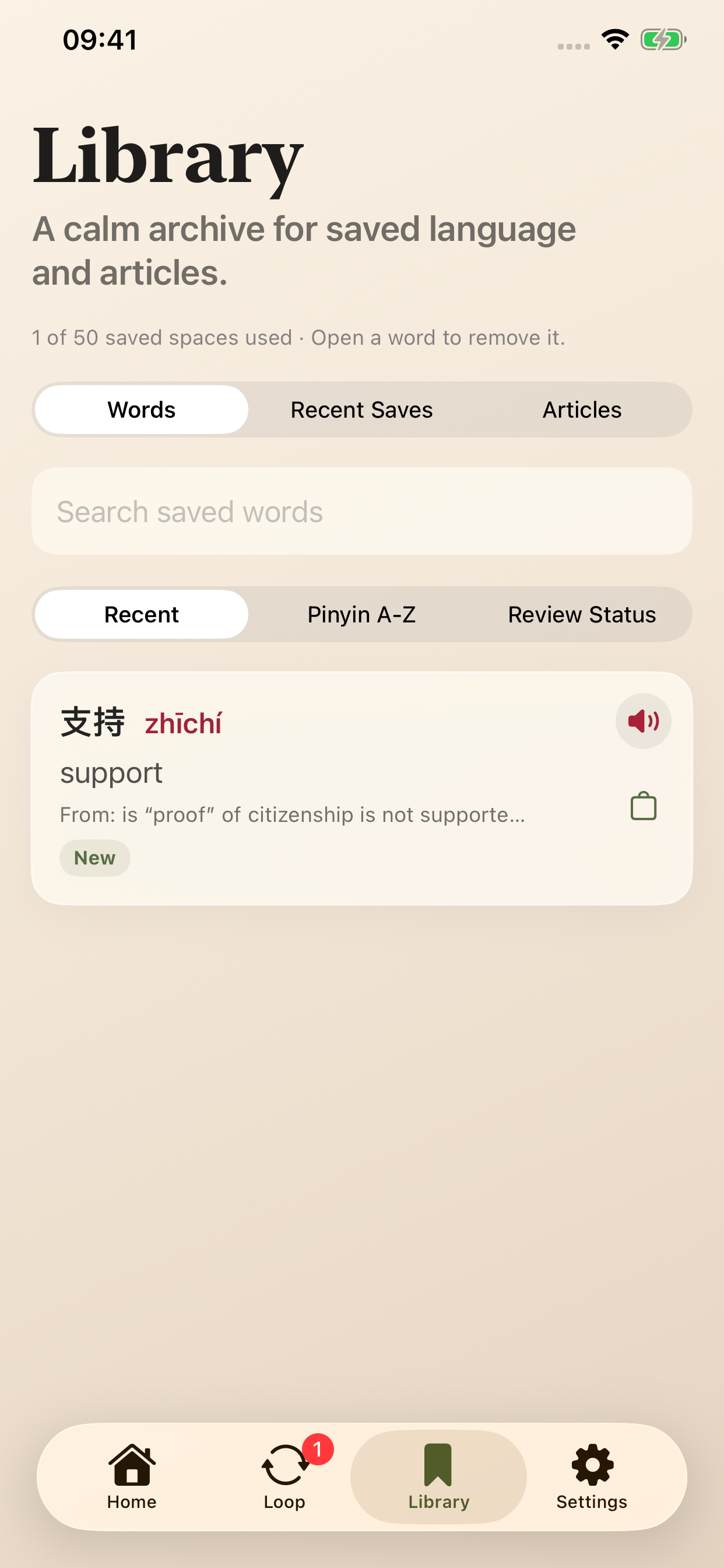
Step 2 · WoAi-Read on iPhone Simulator Find it in Library → Words.
Open Library, choose Words, and find your saved word. Tap its bag icon, or open the word and tap Design with this word. Word Studio supports words of 1–6 Hanzi characters.
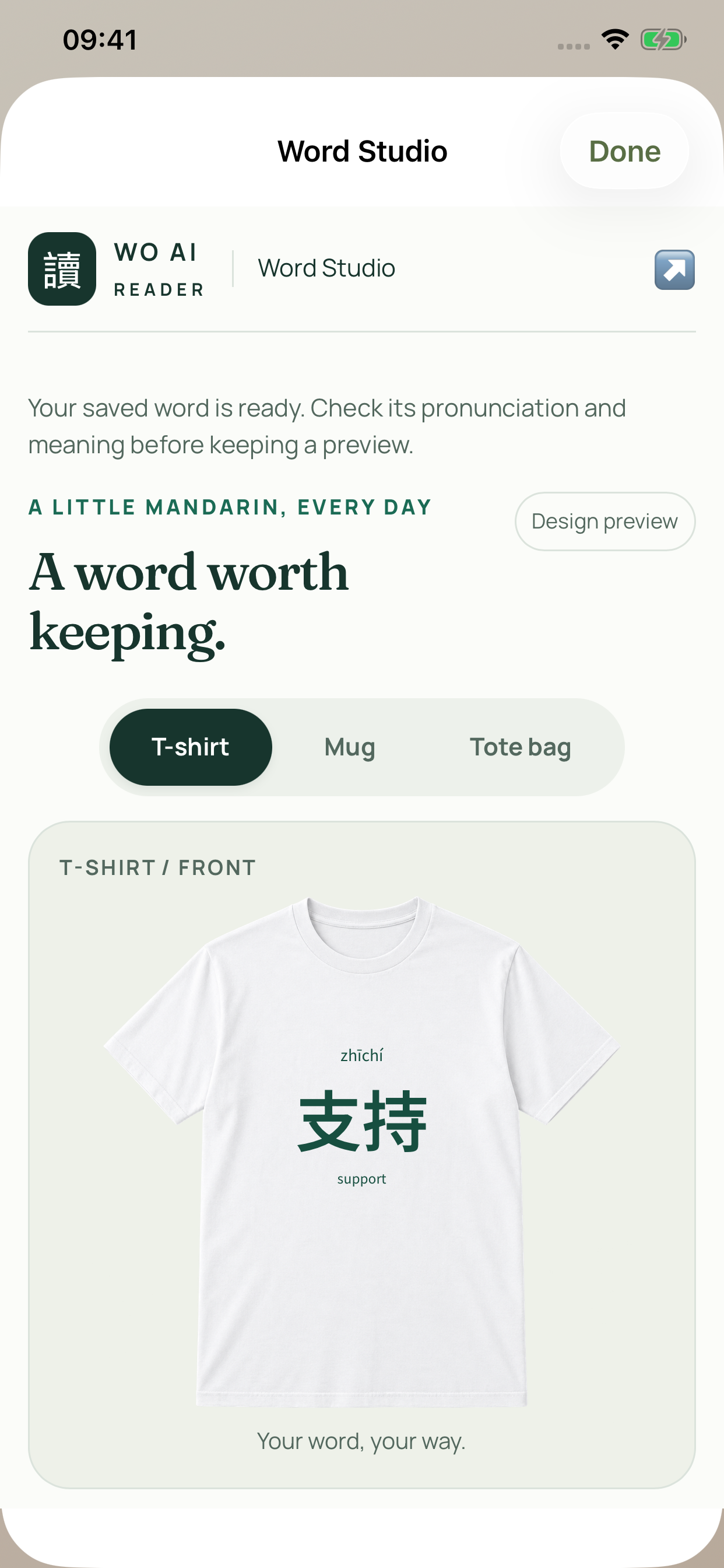
Step 3 · WoAi-Read on iPhone Simulator Make the design yours.
Choose a T-shirt, Mug, or Tote bag. Pick colors and size, then choose whether to show Pinyin, Bopomofo / Zhuyin, and the English meaning. Check your saved pronunciation and meaning before continuing.
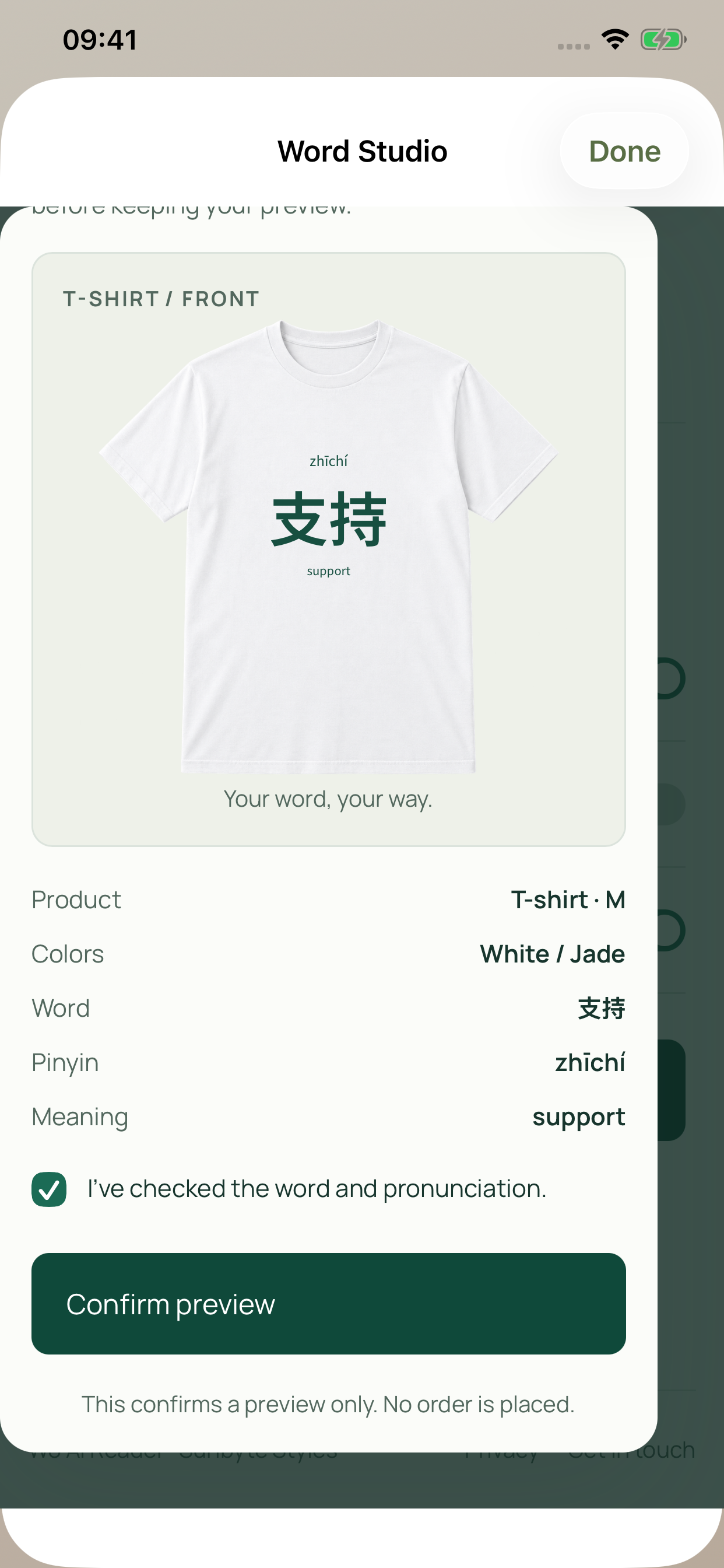
Step 4 · WoAi-Read on iPhone Simulator Review and keep your preview.
Tap Review your design, check the lettering, and choose Confirm preview. Use Download preview to save or share it. Confirming a preview does not place an order.
Step 5 · WoAi-Read on iPhone Simulator
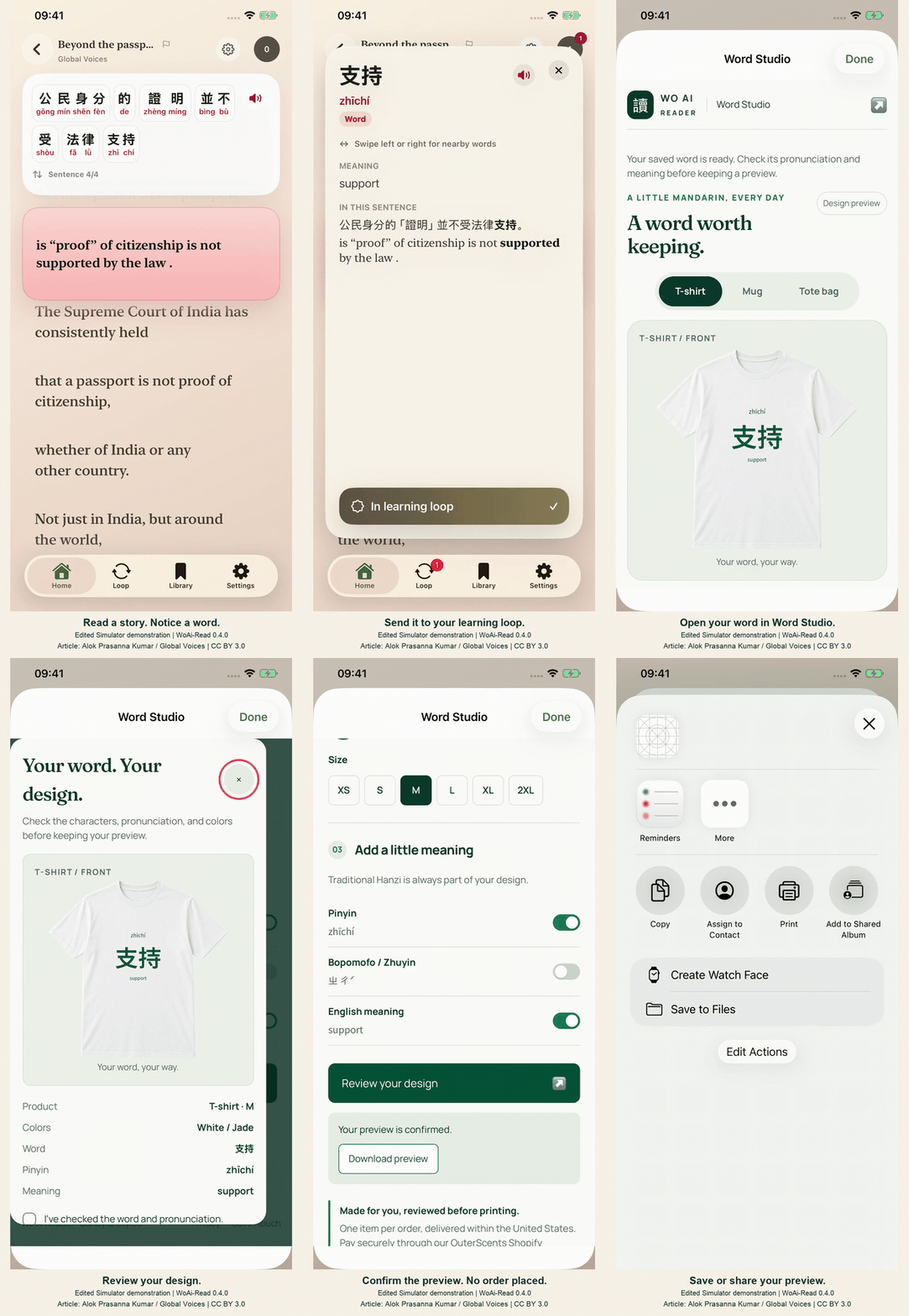
Edited Simulator demonstration recorded in WoAi-Read 0.4.0. Idle time has been removed; the app screens are unchanged apart from resizing. Product images show a concept preview.
The reading excerpt is from Beyond the passport: The legal ambiguity of Indian citizenship by Alok Prasanna Kumar, Global Voices, licensed under CC BY 3.0. WoAi-Read added an AI-assisted Traditional Chinese learning edition and language annotations. Global Voices does not endorse this adaptation.
App didn't open?
The button needs WoAi-Read 0.4.0 or later installed on an iPhone or iPad. Check for an update in the App Store, then come back and tap Open WoAi-Read. You can also open the app yourself and go to Library → Words.
If 0.4.0 is not available in your App Store yet, follow this guide and try an example on the web.
Preview first. Order when ready.
You can make and keep a preview without buying anything. Ordering has a separate print-artwork approval, live availability and shipping quote, and paid checkout for US delivery. Each paid order is reviewed before production.
Shipping and returns